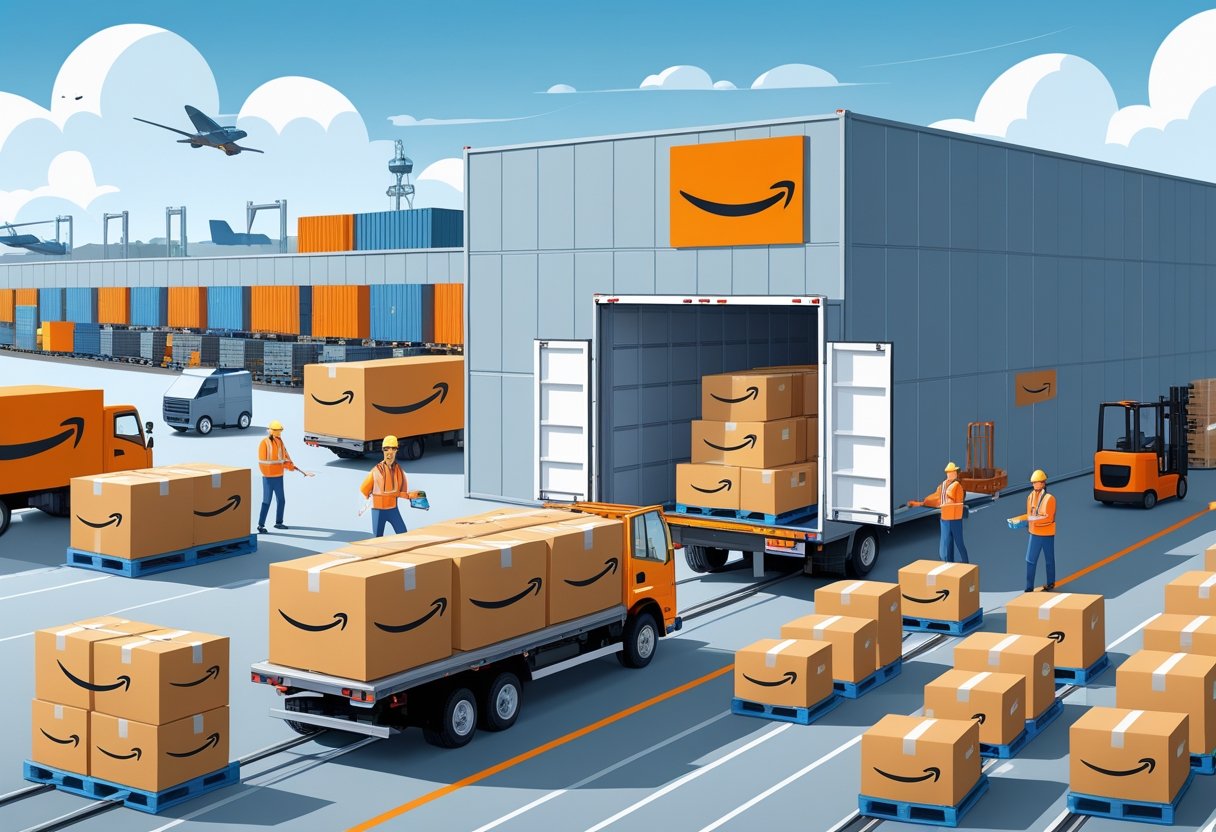
Shipping to Amazon FBA: Step-by-Step Guide for Sellers
Shipping to Amazon FBA can look complicated at first, but once you break it down, it’s honestly manageable. Fulfillment by Amazon (FBA) lets you send your products to Amazon’s warehouses, where they handle storage, packing, shipping, and customer service for you.
This means you can focus on building your business while Amazon takes care of the order fulfillment headaches.
The key to successful Shipping to Amazon FBA is all about prepping your products right and sticking to Amazon’s requirements. You’ll need to create shipping plans, package your inventory properly, and pick the best shipping method for your budget.
Amazon’s “Send to Amazon” workflow now makes this process easier by cutting down the number of steps needed to create shipments.
Shipping costs make a big difference to your bottom line. Sellers typically pay around $0.25-$0.30 per pound to ship products to Amazon warehouses, but these numbers shift depending on weight, size, and where you’re sending stuff.
Amazon’s new placement fees can also have a big impact on your shipping expenses, so keep an eye on those.
Key Takeaways for Shipping to Amazon FBA
- Amazon FBA handles storage, packing, and shipping of your products once they reach their warehouses
- Proper product preparation and following Amazon’s labeling requirements prevents shipment delays and rejections
- Shipping costs average $0.25-$0.30 per pound but vary based on size, weight, and new placement fees
Understanding Amazon FBA and Its Benefits for Shipping to Amazon FBA

Amazon FBA lets you store your products in Amazon warehouses while they take care of all the shipping and customer service. This program gives sellers access to Prime shipping and Amazon’s delivery network, and you don’t have to sweat the logistics yourself.
What Is Fulfillment by Amazon (FBA)?
Fulfillment by Amazon (FBA) is a program that allows sellers to send their products to Amazon’s warehouses. Amazon stores, picks, packs, and ships your products to customers.
You still control your product listings and pricing. Amazon just does the heavy lifting for you.
FBA works for both solo sellers and bigger businesses. You can send your own branded products or even retail arbitrage items through FBA.
When you use FBA, your products become eligible for Prime shipping. That’s a huge deal—millions of Prime members love fast, free shipping.
Advantages for Sellers Using Shipping to Amazon FBA
Shipping to Amazon FBA brings a bunch of perks. Prime shipping eligibility can seriously boost your visibility and sales since Prime members search for those fast-shipping badges.
Time savings are a major win here. You don’t have to pack boxes, print labels, or stand in line at the post office anymore.
Amazon takes over all customer service for FBA orders. They’ll answer questions, process returns, and handle refunds for you.
The global fulfillment network means you can reach customers all over the world. Amazon has warehouses in multiple countries so you can serve international buyers.
Shipping to Amazon FBA helps your products compete with big-name sellers. FBA levels the playing field and gives small businesses access to Amazon’s logistics muscle.
How Shipping to Amazon FBA Works
The FBA process starts when you create product listings in your FBA dashboard. You pick FBA as your fulfillment method when you’re setting up your listings.
Then, you prep and ship your inventory to Amazon fulfillment centers. Amazon spells out the packaging and labeling requirements you need to follow.
The four-step Shipping to Amazon FBA process looks like this:
- Send inventory – Ship products to the Amazon warehouses they assign
- Amazon stores – They catalog and store your products safely
- Customer orders – Amazon picks, packs, and ships when someone buys
- Customer support – Amazon handles returns and questions
When customers order, Amazon’s system fulfills them automatically. You can track your inventory and sales through Seller Central.
As an FBA seller, you pay fees for storage and fulfillment services. These fees shift depending on your product’s size, weight, and how long it sits in the warehouse.
Eligibility and Inventory Requirements for Shipping to Amazon FBA

Amazon has strict rules about which products you can send through Shipping to Amazon FBA and how you need to prep your inventory. Products with expiration dates and items that melt need special handling to meet Amazon’s standards.
FBA Product Restrictions for Shipping to Amazon FBA
Amazon restricts certain products from FBA warehouses for safety and legal reasons. FBA policies and requirements list what you can’t store or ship through their fulfillment centers.
Prohibited items include:
- Hazardous materials and chemicals
- Live animals and plants
- Perishable foods without proper certification
- Weapons and ammunition
- Adult products in certain categories
Restricted items need Amazon’s approval before you can sell them through FBA. These usually include supplements, topical products, and electronics with lithium batteries.
Always check Amazon’s restricted product list before shipping to Amazon FBA. Sending prohibited items gets your shipment refused and could even block your seller account from future shipments.
Inventory Requirements Overview for Shipping to Amazon FBA
FBA inventory requirements cover product titles, barcodes, packaging, and shipping standards. Each product has to meet certain prep standards before Amazon will accept it.
Key requirements include:
- Clear product titles with brand, model, and main features
- Manufacturer or Amazon barcodes on every item
- Packaging that protects against damage during shipping
- Accurate product condition (new, used, or refurbished)
Products listed as new have to arrive in original packaging with all accessories. Used items need a different kind of prep.
Amazon sets capacity limits for how much inventory you can send. The FBA restock inventory tool helps you track those limits and plan your shipments.
Expiration-Dated and Meltable Product Guidelines for Shipping to Amazon FBA
Products with expiration dates must have at least 90 days left when they reach Amazon. You’ll need special approval to sell most food items through FBA.
Expiration date requirements:
- Clear, easy-to-read dates on every unit
- Dates in MM-DD-YYYY or MM-YYYY format
- Products expiring within 50 days get removed automatically
Meltable items like chocolate, cosmetics, and candles need temperature-controlled shipping during warmer months. Amazon calls April 1 through October 31 the meltable season.
These products need special packaging with insulation and cooling. You have to use expedited shipping to keep transit times short.
Amazon charges extra fees for temperature-sensitive storage and handling. If your products arrive melted, Amazon will dispose of them and charge you for it. Prep these items carefully to avoid inventory loss and extra fees.
Setting Up for Shipping to Amazon FBA
Getting started with Shipping to Amazon FBA means three things: creating your seller account, switching your products to FBA, and learning the ropes of Amazon’s seller platform.
Registering as an Amazon Seller for Shipping to Amazon FBA
You need an active Amazon seller account before you can send anything to FBA warehouses. Head to sell.amazon.com to create your account.
Amazon offers two seller plans. The Individual plan costs $0.99 per sale with no monthly fee. The Professional plan costs $39.99 a month but skips those per-item fees.
Go with Professional if you:
- Plan to sell more than 40 items a month
- Want to use advertising tools
- Need advanced selling features
- Sell in restricted categories
Registration asks for your business info, tax details, and a bank account for payments. You’ll also have to verify your identity with government ID.
Amazon sometimes puts initial restrictions on new accounts to prevent fraud. These limits can affect how much inventory you can send at first.
Enrolling Products in FBA for Shipping to Amazon FBA
Before you can start Shipping to Amazon FBA, you need to enroll your products in FBA. Start by setting up your product listings in your seller account.
Go to the Manage Inventory page in Seller Central. Find your product and use the dropdown menu next to it.
Click “Change to Fulfilled by Amazon” if your product is merchant-fulfilled. This flips your listing over to FBA.
Key enrollment settings:
- Fulfillment method (FBA or self-fulfilled)
- Prep requirements for your product type
- Labeling preferences (Amazon or seller labels)
Some products need extra prep like bubble wrap or bagging. Check Amazon’s prep requirements for your category to avoid delays.
You can’t create shipping plans until your products are enrolled in FBA. Make sure you complete this step before moving on.
Navigating Seller Central for Shipping to Amazon FBA
Seller Central is Amazon’s main dashboard for managing inventory and Shipping to Amazon FBA. The shipping workflow changed recently with new placement and carrier options.
Access your shipping tools through Menu > Shipments > Send to Amazon. That’s where you’ll create all your shipping plans.
The Manage Inventory page shows your current stock and FBA status. Use the Send/Replenish Inventory option in the dropdown to start new shipments.
Main Seller Central sections for Shipping to Amazon FBA:
- Shipments – Create and track your FBA shipments
- Inventory – Check stock levels and product status
- Performance – See your account health metrics
- Reports – Get detailed shipping and inventory data
Staying updated on Amazon’s workflow changes helps you avoid mistakes. The new inventory placement service affects how your products get split up across warehouses.
Bookmark the pages you use most. Shipping to Amazon FBA means following several steps, so knowing where to find each tool saves a lot of time.
Preparing, Packaging, and Labeling Products for Shipping to Amazon FBA
Getting your products ready for Shipping to Amazon FBA means following Amazon’s strict packaging and prep standards and putting the right barcodes on every item. Each product needs solid protection for shipping and clear labels for Amazon’s scanning systems.
Packaging Standards and Materials for Shipping to Amazon FBA
Amazon sets strict rules for box sizes and weights when Shipping to Amazon FBA. Your boxes can’t exceed 25 inches on any side or weigh more than 50 pounds.
If a box weighs between 50 and 100 pounds, slap on a “Team Lift” label. Anything over 100 pounds needs a “Mechanical Lift” label, so don’t skip that step.
Stick to approved packing materials inside your boxes. Bubble wrap is great for fragile items and offers solid protection.
Full sheets of paper and inflatable air pillows are also fine. Never use packing peanuts, foam strips, crinkle wrap, or shredded paper—Amazon doesn’t allow those at all.
Poly bags should be at least 1.5 mm thick and totally transparent. If the opening is over 5 inches, print a suffocation warning right on the bag.
All boxes must be new and strong. Remove any old shipping labels or markings before packing up your products for Shipping to Amazon FBA.
Prep and Labeling Requirements for Shipping to Amazon FBA
Every product needs an Amazon barcode, called an FNSKU, to link it to your seller account. This keeps your inventory separate from other sellers’ stuff.
You can print labels yourself, ask your supplier, or use Amazon’s FBA label service for a fee. Labels have to be 1×2 inches and easy to scan.
Different products need different prep. Individual units like clothing or small accessories go in poly bags.
When selling sets, pack them together and add a “Sold as Set” or “Do Not Separate” label on the outside.
Cover sharp items with bubble wrap over all pointed edges. Fragile products should pass a 3-foot drop test without breaking—Amazon checks this.
For baby items, use transparent poly bags and put the barcode where it’s easy to scan.
Box Content Information for Shipping to Amazon FBA
Each shipping box needs an FBA box ID label, which you get when creating your shipment. Print and stick this label on the box’s side, away from edges and seams.
Don’t put the FBA box ID label on the top, bottom, or near the opening. Amazon’s scanners need a clear shot at that code.
Include a packing slip inside each box listing all products and quantities. This helps Amazon workers check that the contents match your shipment plan.
For case-packed products, every item in the box must be identical with the same SKU and condition. Mixed products need individual labels on each item.
Write the total number of units clearly on your shipping labels. Always double-check that your box contents match what you entered in Seller Central before Shipping to Amazon FBA.
Choosing the Right Barcodes for Shipping to Amazon FBA
Amazon accepts several barcode types, depending on your product and selling method. FNSKU labels work for most FBA products and put you in control.
You can use manufacturer barcodes (UPC/EAN) if Amazon has them in their catalog. This is handy for brand-name products that don’t need special prep.
Print barcodes with a thermal printer for best results. Laser printers are okay, but inkjet can smudge and cause headaches.
Stick barcodes on flat surfaces so they don’t get bent or wrinkled. Don’t cover important product info or manufacturer codes with your barcode.
Test your barcodes with a scanner before Shipping to Amazon FBA. Unreadable codes mean delays and extra fees at Amazon’s fulfillment centers—nobody wants that.
Creating and Managing Your Shipping to Amazon FBA Plan
Your FBA shipping plan is the blueprint for getting inventory to Amazon warehouses. The process has three main steps: create the shipment plan in Seller Central, follow Amazon’s send-to-Amazon workflow, and prep your documentation.
Shipment Plan Creation Process for Shipping to Amazon FBA
Log into Seller Central and head to the inventory section. Click on “Send to Amazon” to start the shipment plan creation process.
Pick the products you want to ship by entering their SKUs or ASINs. Enter the exact quantities for each item you’ll send.
Choose your ship-from address carefully. It must match where your inventory is stored.
Amazon splits shipments across multiple fulfillment centers. You can’t control where things go, but you can see which products are routed to each place.
Review destinations and quantities before confirming your plan. Once you confirm, it’s tough to make changes, so double-check everything first.
Send to Amazon Workflow for Shipping to Amazon FBA
The send to amazon workflow walks you through each step. Amazon breaks it into clear phases you need to finish in order.
Step 1: Confirm your shipping plan details and product quantities.
Step 2: Choose between individual products or case-packed items. Case-packed means all items in a box share the same SKU.
Step 3: Print and apply FNSKU labels to every unit unless you’re using manufacturer barcodes.
Step 4: Pick your shipping method—small parcel, LTL freight, or full truckload.
Amazon offers partnered carrier options, which usually cost less than using your own carrier. Compare rates before making a choice.
Schedule a pickup or drop-off. Some carriers need advance booking, especially for freight shipments.
Packing Lists and Documentation for Shipping to Amazon FBA
Your box content info must match exactly what you ship. Amazon scans every item on arrival and charges fees for any mistakes.
Create detailed packing lists including:
- SKU numbers and quantities per box
- Box dimensions and weight
- FNSKU labels for each product
- Box ID labels (two per carton)
Tools like InventoryLab generate pro packing lists automatically. These sync with your Seller Central data and help reduce mistakes.
Set up reusable case pack templates for your most common product combos. It saves time for repeat shipments.
Print labels with a thermal printer if you can. Laser and inkjet labels sometimes smudge in transit.
Keep copies of all your docs until Amazon confirms your inventory arrived. If something goes missing or gets damaged, you’ll need those records.
Choosing and Executing Shipping Methods for Shipping to Amazon FBA
Amazon FBA gives you four main shipping methods. The right one depends on weight, delivery speed, and your budget.
Overview of Shipping Methods for Shipping to Amazon FBA
Amazon offers four shipping options for FBA sellers. Small Parcel Delivery costs $3-$7 per unit and delivers in 1-5 days for shipments under 150 pounds.
Less Than Truckload handles medium loads between 150 and 10,000 pounds. It costs $1.50-$3 per unit and usually takes 3-7 days.
Full Truckload is for shipments over 10,000 pounds. You’ll pay $0.75-$1.50 per unit, with transit times of 2-5 days.
Amazon Global Logistics is for international bulk shipments, charging $0.30-$0.80 per unit. Delivery takes 3-8 weeks but it’s the cheapest per unit.
Method Comparison:
Method Weight Range Cost Per Unit Transit Time SPD <150 lbs $3-$7 1-5 days LTL 150-10,000 lbs $1.50-$3 3-7 days FTL >10,000 lbs $0.75-$1.50 2-5 days AGL Bulk international $0.30-$0.80 3-8 weeks ### Small Parcel Delivery (SPD) for Shipping to Amazon FBA
SPD uses carriers like UPS, FedEx, or Amazon Partnered Carrier for individual boxes. You ship direct to fulfillment centers, no need to palletize products.
Each box must weigh under 50 pounds unless a single item is heavier. Max dimensions are 25 inches on any side.
SPD Requirements:
- Generate FBA shipment labels in Seller Central
- Stick labels on flat box surfaces, not on edges
- Use Amazon Partnered Carrier for discounted UPS rates
- Schedule pickups or drop-offs with your carrier
Over 55% of US-based FBA sellers pick SPD for its speed and ease. It’s ideal for new product launches or urgent restocks when you need speed over savings.
SPD offers the fastest delivery but also the highest per-unit shipping costs. Use this method if you’re shipping fewer than 15 boxes or need quick inventory replenishment for Shipping to Amazon FBA.
Less Than Truckload (LTL) and Full Truckload (FTL) for Shipping to Amazon FBA
LTL puts your boxes on pallets with other shipments, balancing cost and delivery time for medium-sized loads.
Use standard 40×48 inch wooden pallets and keep stacks under 72 inches including the pallet. Shrink-wrap each pallet and attach FBA labels on all four sides.
FTL reserves a whole truck for your shipment. This cuts handling risks and gives you the lowest per-unit cost for big loads.
LTL/FTL Requirements:
- Book delivery appointments through Amazon’s system
- Prepare Bill of Lading with shipment details
- Use Amazon Partnered Carrier for automatic scheduling
- Generate pallet and box labels in Seller Central
Partnered Carrier rates can cut shipping costs by up to 45% compared to independent carriers. FTL is best when you’ve got 26 or more pallets to send for Shipping to Amazon FBA.
International Shipments and Shipping to Amazon FBA with Amazon Global Logistics
Amazon Global Logistics offers integrated freight forwarding for international sellers. AGL handled over 200,000 international shipments to US warehouses in 2024.
Ocean freight through AGL costs up to four times less per unit than air freight. Delivery times can stretch to 8 weeks, depending on customs clearance and port congestion.
AGL Documentation:
- Commercial invoices with HS codes and product values
- Packing lists and certificates of origin
- FDA, EPA, or other regulatory compliance documents
- Incoterms specification (usually DDP or DAP)
To get started, create Global Shipment Plans through Seller Central. Amazon tracks your shipment and manages customs clearance.
Over 60% of Amazon’s US inbound volume from Asia uses ocean freight via AGL. This works well for high-volume sellers who care more about cost than speed.
Labeling, Documentation, and Receiving When Shipping to Amazon FBA Fulfillment Centers
Proper labeling and documentation help your inventory move through Amazon’s system without hiccups. Each shipment type needs specific labels, freight documentation, and must follow Amazon’s receiving timeline.
Shipping to Amazon FBA: Shipping and Pallet Labels
Every box you send to Amazon needs a shipping label. Each FBA box requires a specific label with box content info you provide during shipment creation.
Double-check that the SKU and number of units match what’s in each box. The wrong label on the wrong box? That’ll cause delays at the fulfillment center.
Palletized shipments need more labels:
- Pallet labels on two adjacent sides
- Box labels on every single box
- Accurate pallet labeling is crucial for 2025 compliance
Make sure pallet labels are readable and placed right. Amazon scans these first when your shipment shows up.
Shipping to Amazon FBA: Bill of Lading and Freight Documentation
Your bill of lading is the contract between you and the carrier. It lists what you’re shipping and where it’s headed.
Required info includes:
- Freight-ready date – when your shipment’s ready for pickup
- Total number of pallets or boxes
- Weight and dimensions
- Delivery appointment details
Amazon fulfillment centers need advance notice for freight deliveries. Your carrier will set up the delivery appointment using the freight-ready date you gave.
Keep copies of all your freight docs. If issues pop up during transit or delivery, you’ll be glad you did.
Shipping to Amazon FBA: Receiving Process at Fulfillment Centers
Amazon fulfillment centers follow a set process when your shipment arrives. The receiving team scans your labels and checks the contents against your shipment plan.
The process looks like this:
- Initial scan of shipping and pallet labels
- Box opening and inventory check
- Problem identification for missing or damaged items
- Inventory placement in storage
If you miss FBA prep requirements, Amazon might refuse, dispose, or return your inventory.
Amazon charges extra for unplanned services needed to process your shipment. Label and prep everything right to avoid these costs.
Your inventory usually goes live for sale once Amazon finishes receiving. For standard shipments, this takes about 1-3 business days.
Managing Shipping to Amazon FBA Costs and Operational Efficiency
Managing costs takes a mix of understanding FBA fees, timing, and shipment planning. The right tools and services can cut expenses and improve delivery speed to Amazon warehouses.
Shipping to Amazon FBA: FBA Shipping and Storage Costs
FBA costs include more than basic shipping rates. You pay for freight, customs clearance, prep, and Amazon’s receiving fees.
International shipping from China to the US usually costs $2,500–$4,000 per container by sea. Air freight? That’ll run $7,000–$12,000 for the same volume.
Your Shipping to Amazon FBA costs also include domestic transport to fulfillment centers. This changes based on distance and carrier.
Storage fees at Amazon warehouses charge monthly rates for inventory. Standard-size items cost $0.87 per cubic foot from January to September. October through December rates jump to $2.40 per cubic foot.
Long-term storage fees kick in for items stored over 365 days. That’s $6.90 per cubic foot or $0.15 per unit, whichever is higher.
Track your cost per unit across all shipping components. Include freight, prep, customs, and Amazon fees in your math.
Shipping to Amazon FBA: Optimizing Shipment Size and Timing
Right-sizing shipments helps balance inventory needs with storage costs. Shipping strategies that save money focus on timing and volume.
Send only 1–3 months of projected inventory to Amazon. That way, you avoid long-term storage fees but keep products in stock.
Split shipments between air and sea freight for better cost control. Ship small amounts by air for speed. Send big batches by sea to save money per unit.
Consider using a prep center or warehouse as a buffer between your supplier and Amazon. You can inspect products and send smaller batches as needed.
Seasonal timing impacts shipping costs a lot. Book freight early for peak season. Prices spike from August through November.
Consolidate multiple products into one shipment if you can. Full containers cost less per unit than partial loads.
Shipping to Amazon FBA: Utilizing FBA Tools and Services
Amazon’s Seller Central has shipment planning tools that estimate costs upfront. These calculators help you compare shipping methods and carriers.
Partnered carrier programs through Amazon often offer discounted rates. Compare these with your own freight forwarders to find the best deal.
FBA prep services handle labeling, packaging, and inspection. Professional prep centers lower rejection risks and save you time.
Inventory Performance Index (IPI) monitoring helps avoid storage limits. Keep your IPI above 450 to maintain full storage access.
Amazon Global Logistics manages end-to-end shipping from suppliers to fulfillment centers. This service includes customs clearance and FBA prep in one package.
Freight forwarders who know FBA requirements get Amazon’s packaging and labeling rules. They help prevent shipment delays and extra fees from mistakes.
Use inventory management software to track shipping metrics. Watch your cost per unit, delivery times, and rejection rates to improve your Shipping to Amazon FBA strategy.
Frequently Asked Questions About Shipping to Amazon FBA
Shipping to Amazon FBA comes with steps, costs, and requirements that new sellers need to grasp. Direct supplier shipping and profits depend on your prep work, volume, and products.
What are the steps for shipping products to an Amazon FBA warehouse?
You need to follow six main steps for Shipping to Amazon FBA. First, apply FNSKU labels to your products and prep them per Amazon’s guidelines.
Then, create a shipment in Seller Central, picking your products and quantities. Amazon generates shipping labels and gives you a fulfillment center address.
Print and stick the FBA shipping labels on your boxes. Each box should weigh less than 50 pounds for standard items.
Ship your products using any carrier—UPS, FedEx, USPS—to the assigned Amazon warehouse. Save your tracking number for reference.
Confirm your shipment in Seller Central by entering the carrier name and tracking number. This lets Amazon know your products are on the way.
Monitor your shipment status until Amazon marks it “Checked In.” Once processed, your products go live for sale.
How much does it typically cost to ship items to Amazon FBA?
Shipping to Amazon FBA costs include several fees. Inbound shipping costs depend on weight, distance, and carrier.
FBA fees range from $0.65 to $3.90 per item for pick and pack. Weight handling fees run $0.26 to $0.80 per pound.
Monthly storage fees start after 30 days, based on your inventory volume. Long-term storage fees go up if products sit unsold over 365 days.
Optional services like labeling, bagging, or gift wrap add extra costs if you use them. Your total fees depend on product size, weight, and how fast you sell.
What are some tips for reducing shipping costs to Amazon FBA?
Consolidate shipments to send fewer, larger boxes instead of lots of small ones. This approach cuts overall shipping expenses.
Use Amazon’s partnered carriers for discounted UPS and DHL rates. These deals often beat standard shipping prices.
Ship products to the closest fulfillment center to lower distance-based fees. Amazon assigns warehouses, but sometimes you can request changes.
Optimize packaging to reduce weight and size. Lighter packages cost less to ship and mean lower FBA fees.
Plan inventory to avoid long-term storage fees. Only send products that will sell in a reasonable time frame.
How does the Amazon FBA program work for new sellers?
Shipping to Amazon FBA means Amazon handles storage, picking, packing, and shipping once you send products to their warehouses. You focus on sourcing and marketing while Amazon takes care of logistics.
Your products become Prime-eligible, which usually boosts sales. Amazon also manages customer service and returns for FBA orders.
You pay Amazon fees for these services, but the convenience is worth it for a lot of sellers. The program scales with your business—no warehouse needed.
New sellers must convert their product listings to FBA before shipping. Only converted SKUs appear in the shipment workflow.
Is Shipping to Amazon FBA Directly from a Supplier Possible?
Yes, shipping to Amazon FBA straight from your supplier is possible if they stick to Amazon’s procedures. You can ship products purchased from Alibaba or other wholesale platforms right to Amazon.
Your supplier needs to apply the correct FNSKU labels and follow Amazon’s prep requirements. You’ll still have to create the shipment in Seller Central first.
Give your supplier Amazon’s shipping address and the FBA labels yourself. Make sure they actually understand Amazon’s rules for packaging and labeling. Sometimes, suppliers overlook small details, which can cause headaches later.
Shipping to Amazon FBA this way can save time and cut shipping costs. But honestly, you do lose the chance to check product quality before Amazon gets your items.
Shipping to Amazon FBA: What are the potential earnings for a beginner?
Beginner earnings with Shipping to Amazon FBA can swing wildly. Product selection, marketing chops, and how much you’re willing to invest all play a role.
Some folks see just a few hundred bucks a month. Others? They’re pocketing thousands.
To figure out your profit, subtract Amazon fees, product costs, and shipping expenses from your sales revenue. Shipping to Amazon FBA comes with fees—usually 15% to 45% of whatever you sell the item for.
Choosing the right products and keeping your listings sharp matter a lot. Managing inventory well can make or break your results.
Competition and market demand? They’re huge. Don’t ignore them if you want to get ahead in Shipping to Amazon FBA.
Most people who do well with Shipping to Amazon FBA put their profits back into inventory and ads. Honestly, building something steady usually takes anywhere from six months to a year—sometimes longer, sometimes less, depending on how things shake out.